Computer science basics are the core ideas behind how computers work and how you get them to solve problems. They cover problem solving and algorithms, programming, how data is stored in binary, the hardware and software inside a computer, how networks and the internet connect machines, security, and the effect computing has on society. Those are the topics an introductory course or a GCSE starts with.
What is computer science?
Computer science is the study of computation, information and automation, in the words of Wikipedia’s definition. It runs from theory, such as algorithms and the limits of what can be computed, to practical work designing hardware and software. Programming is a large part of it, but only one part. A lot of computer science is about thinking through a problem clearly before any code is written.
The hand drawn mind map that goes with this article sets the basics out in six groups, which is a useful way to learn them. The groups are problem solving, programming, data, computers, communication and the wider impact of computing. The same groups turn up in the Department for Education’s GCSE subject content for England, which lists abstraction, decomposition, logic, algorithms and data representation as the fundamental principles every GCSE course must teach.
Problem solving and algorithms
An algorithm is an unambiguous series of steps that solves a specific problem in a finite time. Before you write one you usually use two thinking tools. Abstraction means removing the details that do not matter to the problem, and decomposition means breaking a big problem into smaller ones you can solve separately.
Every algorithm is built from three constructs, sequence (steps in order), selection (if this, do that) and repetition, also called iteration (loops). You can write an algorithm as program code, as pseudocode, which reads like structured English, or as a flowchart with boxes for start and end, decisions and input or output.
Beginners usually meet four standard algorithms first.
| Algorithm | What it does | Worth knowing |
|---|---|---|
| Linear search | Checks each item in turn until it finds a match | Works on any list, but is slow on long ones |
| Binary search | Checks the middle item, then discards the half that cannot contain the target | Only works on a sorted list |
| Bubble sort | Compares neighbouring pairs and swaps them, in repeated passes | Simple to follow, slow on large lists |
| Merge sort | Splits the list into halves, sorts each, then merges them | A divide and conquer method, much faster on large lists |
Programming fundamentals
Programming is writing instructions in a language a computer can run, and the same building blocks appear in every language. Variables store values that can change, constants store values that do not, and each value has a data type such as integer, float (real), Boolean or string. Data structures such as records and one or two dimensional arrays hold groups of values.
Programs are organised into subprograms (functions and procedures) so you can reuse code, and variables have a scope, either global (usable anywhere) or local (only inside one subprogram). Comments and indentation make the code readable for the next person.
Errors fall into three types. A syntax error breaks the rules of the language, so the program will not run. A logic error runs but gives the wrong result. A runtime error happens while the program runs, such as an infinite loop or dividing by zero. You find them with testing, using normal, boundary and erroneous test data, and with trace tables that follow each variable line by line.
If you want a free course, Harvard’s CS50x covers algorithms, data structures and programming in C, Python and SQL over eleven weeks, and Harvard says two thirds of its students have never studied computer science before.
How computers store data in binary
Computers store everything as binary, ones and zeros, because their circuits have two states. A bit is a single 1 or 0, a nibble is 4 bits and a byte is 8 bits. Number bases are just different ways to write the same value. For example, 79 in denary (base 10) is 0100 1111 in binary, 4F in hexadecimal and 117 in octal.
Negative numbers are usually stored using two’s complement. To store minus 9 in 8 bits, write 9 as 0000 1001, flip every bit to get 1111 0110, then add 1 to get 1111 0111. Shifting a binary number one place left doubles it, and one place right halves it.
Text, images and sound are numbers too. Each character has a code, an image is a grid of pixels whose colours are stored as numbers (pure blue is 0, 0, 255 in RGB), and sound is sampled thousands of times a second. Two common labels need care here. ASCII has 128 characters and is a 7 bit code, with 8 bit versions as extensions. Unicode is often described as 16 bit, as it is on the mind map, but it outgrew 16 bits with Unicode 2.0 in 1996 and now has room for more than 1.1 million characters, stored using encodings such as UTF-8, UTF-16 and UTF-32.
File sizes have two sets of units. A kilobyte (KB) is 1,000 bytes and a megabyte 1,000,000 bytes, which are decimal units. The binary prefixes set by the IEC, the kibibyte (KiB, 1,024 bytes) and mebibyte (MiB), are the powers of two. Compression makes files smaller, either lossy, which throws some detail away (JPEG, MP3), or lossless, which can be reversed exactly (run length encoding, ZIP).
Hardware and software
Hardware is the physical computer and software is the programs that run on it. Most computers still follow the Von Neumann architecture, described by John von Neumann in 1945, in which instructions and data share the same memory. The CPU fetches each instruction from memory, decodes it and executes it, over and over.
- CPU parts. The control unit directs the work, the arithmetic logic unit (ALU) does calculations and comparisons, registers hold values being worked on, and the clock sets the pace. Buses carry addresses, data and control signals.
- Performance. Clock speed, the number of cores and the size of the cache all affect how fast a CPU works.
- Memory. RAM is the fast working memory that is cleared when the power goes off. ROM holds start up instructions that do not change. Virtual memory uses storage space when RAM runs out.
- Storage. Magnetic (hard drives, tape), optical (CD, DVD, Blu-ray) and solid state (SSDs, SD cards, USB flash drives).
- Embedded systems. Small computers built into other devices, such as washing machines, fridges, cars and smart watches.
Software splits into system software and applications. The operating system manages memory, files and devices and gives you an interface, graphical or command line. Utility software handles jobs like backup and malware scanning, and translators (compilers, interpreters and assemblers) turn the code programmers write into instructions the CPU can run. Underneath it all is Boolean logic, where AND, OR and NOT gates combine to make every calculation the computer does.
Networks and the internet
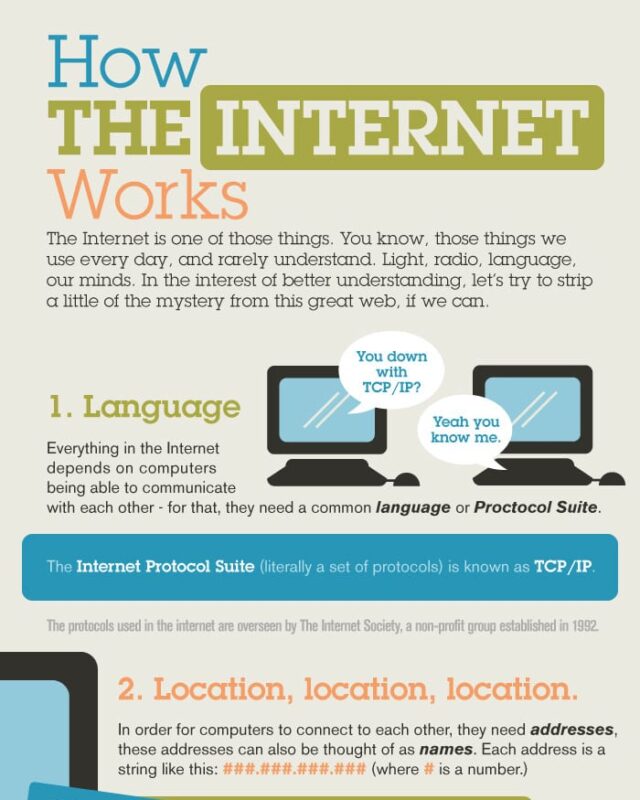
A network is a group of devices connected so they can communicate and share resources. A LAN covers a single site, a WAN covers a wide area (the internet is the biggest), and a PAN connects devices around one person, such as a phone and earbuds over Bluetooth. Networks are organised as client server, where central servers provide services, or peer to peer, where every device is equal.
Wired connections (twisted pair, coaxial and fibre optic cable) are generally faster and more reliable, while wireless connections such as Wi-Fi and mobile data are easier to extend and move around but suffer more interference. Devices talk using agreed rules called protocols. The TCP/IP model groups them in four layers (application, transport, internet and link), with HTTP and HTTPS for web pages and SMTP, IMAP and POP3 for email.
Every device on the internet has an IP address, IPv4 or the newer, much larger IPv6. The Domain Name System (DNS, sometimes wrongly expanded as Domain Name Server) translates names like infographicsite.com into those addresses. The internet is the network itself, while the World Wide Web is the system of pages and links that runs on top of it.
Cyber security basics
Cyber security protects systems and data from attack, and attacks either exploit technical weaknesses or trick people. Technical attacks include eavesdropping on network traffic and exploiting software that has not been updated. Social engineering targets people, through phishing emails, shoulder surfing to see a password, or pharming, which redirects you to a fake website.
Defences include firewalls, strong authentication, validating everything a user types in, keeping software patched, physical security and code reviews. Organisations find weaknesses before attackers do through penetration testing and ethical hacking. Encryption keeps data unreadable without a key. The simplest example is the Caesar cipher, which shifts each letter along the alphabet, so “hello” shifted by 5 becomes “mjqqt”. It is easy to break, which is why modern systems use mathematical encryption instead.
Computing and society
Computer science also covers the effects of technology on people and the planet, and the GCSE content makes the ethical, legal and environmental impacts part of the core course. Ethical questions include privacy and inclusion. Legal ones cover copyright, patents and software licences, from proprietary software to free and open source. Environmental issues include the energy computers use and the toxic heavy metals in electronic waste.
The field keeps moving. The CS2023 curriculum from the ACM, IEEE Computer Society and AAAI, the main guide for university computer science degrees, now includes artificial intelligence, security and society, ethics and the profession among its 17 knowledge areas, alongside the long standing ones such as algorithms, architecture, operating systems and networking. Newer areas such as quantum computing are still mostly beyond the basics.
Questions about computer science basics
What are the basic concepts of computers?
Input, processing, storage and output. A computer takes in data, processes it in the CPU following a program, keeps data in memory and storage, and outputs results. All of it works in binary, using logic gates.
Can I learn computer science on my own?
Yes. Free courses such as Harvard’s CS50x and the materials behind school qualifications cover the basics in order. Start with problem solving and one programming language, usually Python, then move on to data, hardware and networks.
Is computer science the same as programming?
No. Programming is one tool within computer science. The subject also covers algorithms, how data is represented, how hardware and networks work, security and the impact of computing on society.
What are the main areas of computer science?
The CS2023 curriculum lists 17, including algorithmic foundations, architecture and organisation, artificial intelligence, data management, networking, operating systems, security, software development and software engineering. At school level these are grouped into problem solving, programming, data, computer systems, networks and impacts.
Sources
- Department for Education, GCSE subject content for computer science, updated March 2025.
- ACM, IEEE-CS and AAAI, CS2023 Computer Science Curricula, knowledge areas.
- Harvard University, CS50x, introduction to computer science.
- Wikipedia, Computer science.
- Wikipedia, Two’s complement.
- Wikipedia, ASCII and Unicode.
- Wikipedia, Binary prefix.
- Wikipedia, Von Neumann architecture.
- Wikipedia, Domain Name System.
- Wikipedia, Caesar cipher.
- Reddit, r/computerscience, A Map of Computer Science Basics, December 2020, the earliest posting of the mind map we found (the posting account has since been deleted).